In 2026, the City of Thornton launched ThorntonReady Alerts, an emergency notification system powered by Rave – Motorola and Smart911, replacing the previous CodeRED platform. This service offered by the City is free to residents, businesses, and travelers to receive timely alerts about severe weather, law enforcement activity, and other urgent situations via phone call, text message, or email.
This system also offers expanded accessibility features including communication in more than 120 languages. Through integrated Smart911 technology, residents can create a secure and voluntary Safety Profile for their household that provides 911 Dispatchers and first responders with critical information such as medical conditions, medications, and access and functional needs.
How does Thornton Police Department send emergency alerts?
During an emergency, Thornton's Emergency Communications Center can alert the community in two ways:
ThorntonReady Alerts go straight to the phone numbers and email addresses people have signed up with, based on the address they registered.
Wireless Emergency Alerts (WEAs) go to cell phones in the targeted area, whether or not the owner has signed up.
Whether a phone gets a wireless alert depends on which cell tower it’s connected to, the carrier, and the phone’s alert settings. That’s why two people in the same area can get different results, and some phones may get nothing at all.
A shelter in place alert means there is an immediate threat in your area and staying inside is the safest option. Follow the instructions in the alert right away:
Go indoors now. If you are outside or in a car, get into the nearest building.
Lock and block doors. Lock all doors and windows. If you can, move furniture or other heavy objects in front of doors.
Stay away from windows. Move to an interior room if possible and stay low.
Silence phones. Turn off ringers and vibration on all devices so they don’t draw attention.
Stay inside until police say it’s safe. Do not leave, open the door, or go outside to look, even if things seem quiet.
Only call 911 if you have an emergency or information about the threat. Calls asking for updates can tie up lines that others need. For updates, follow Thornton Police Department on X or other social media channels.
If you are not inside the alert area, stay away so police and emergency crews can work.
During an active threat, sound can give away where you are. A ringing phone, a notification sound, or even vibration against a hard surface can let someone nearby know that people are inside a building or hiding in a room. Silencing your phone helps keep you and the people around you hidden until police say it’s safe.
Silence your phone, but don’t turn it off. Keep it with you so you can:
Call or text 911 if you need help or have information about the threat
Watch your screen for updates and the all-clear from Thornton Police
Quietly let family and friends know you’re safe
To silence your phone, turn off the ringer and vibration, or use a Focus or Do Not Disturb mode.
To check your account:
Go to smart911.comand log in with the email address you signed up with. If you can’t remember whether you have an account, select Forgot User ID. If an account exists for your email, you’ll get a notification.
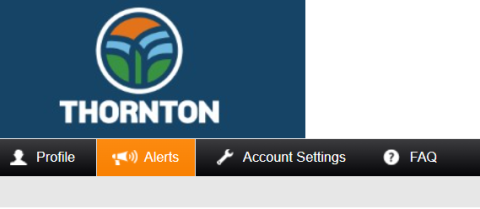
Open the Alerts section of your profile. There you’ll see:
Your contact methods: the phone numbers and email addresses alerts will go to, and whether each gets texts, calls, or emails.
Your alert types: which alerts you’ve opted into.
Image
If you’re signed up but still aren’t getting alerts, check that your phone number is verified in your profile and that your phone isn’t blocking texts from short codes. Need help? Contact ThorntonReady@thorntonco.gov.
No. The system is built to deliver alerts quickly and reliably, but delivery depends on several things outside the City’s control:
The alert area. First responders choose which area is at immediate risk, and alerts go only there. If you’re outside that area, or your registered address is, you may not get the alert.
Physical infrastructure. Alerts travel through cell and radio towers. If a tower is damaged, overloaded, or out of service, alerts may be delayed or may not arrive.
Outside service providers. Once the City sends an alert, cell networks, phone carriers, and email providers handle the delivery. Their outages, delays, or spam filters can affect whether you get it.
That’s why the City sends alerts through more than one method, so as many people as possible get the message.
What if I think I should have gotten an alert but didn’t?
iPhone: Go to Settings > Notifications and scroll to the bottom. Under Government Alerts, make sure Emergency Alerts is turned on. Turning on Always Deliver lets alerts make a sound even when your phone is silenced or in a Focus mode.
Android: Settings vary by phone. On most phones, go to Settings > Safety & emergency > Wireless emergency alerts and make sure alerts are turned on. You can also search “emergency alerts” in your Settings app.
Signing up ensures you receive official, real-time alerts from the City of Thornton with information about potential threats and recommended safety actions. Being informed quickly during an emergency can help protect you, your family, and your property.
When an emergency occurs that meets the criteria for public notification, dispatchers can send alerts to affected residents. Notifications may be sent citywide or targeted to specific neighborhoods based on the incident location. Alerts can be delivered via text message, email, or voice call depending on your preferences.
Residents can receive emergency alerts for situations such as:
Severe weather – Opt-in direct push alerts from the National Weather Service.
Public safety threats
Water utility outages
Health or safety hazards
Major incidents affecting the community
Periodic system test messages
Alert frequency depends on the types of notifications you select and the occurrence of actual emergencies in your area of the community. The system is designed to provide important information without over alerting users.
Anyone can register for ThorntonReady Alerts, including people who live, work, travel through, or frequently visit Thornton. You can add multiple addresses such as home, work, or school.
Once you register and confirm your contact information, you will begin receiving alerts based on your selected preferences for emergencies near your address.
You can log into your account at any time to update phone numbers, email addresses, addresses, and notification preferences.
Smart911 is an optional service provided by the city that allows residents to create a secure Safety Profile with important information that may help first responders during an emergency. This service is a digital form of the “File of Life” program where critical life saving information is posted on residents’ refrigerators, but now it’s available to first responders before they arrive at your home.
If you call 9-1-1 from a phone number associated with your Smart911 Safety Profile, the information you provide will automatically appear on the dispatcher’s screen. This can give first responders valuable details during emergencies.
A Safety Profile is a voluntary set of information you choose to share with emergency responders. It can include details about members of your household, addresses, phone numbers, medical conditions, medications, access and functional needs, pets, vehicles, and emergency contacts.
You may include as much or as little information as you choose. Many people provide:
Home, work, and school addresses
Medical conditions or medications
Emergency contacts
Pets in the household
Vehicles
Building or house access codes
Access or functional needs
No. ThorntonREADY Alerts and Smart911 Safety Profiles are free services provided by the City of Thornton. Standard message or data rates from your mobile provider may apply.
If your phone is busy or unanswered, the system will attempt to redial. If the call reaches voicemail, the alert message will be left.
Yes. Your information is stored securely and is only available to emergency responders when needed during an emergency. Smart911 uses secure, geo-redundant databases and strict security protocols to protect your information.
No. Your information will only be used for emergency notification purposes and will not be sold or used for marketing.
Your Safety Profile is only displayed to 911 dispatchers and first responders when you call 911 from a registered phone number.